

Blog / Technology

How do Wi-Fi Hotspots work in vehicles?

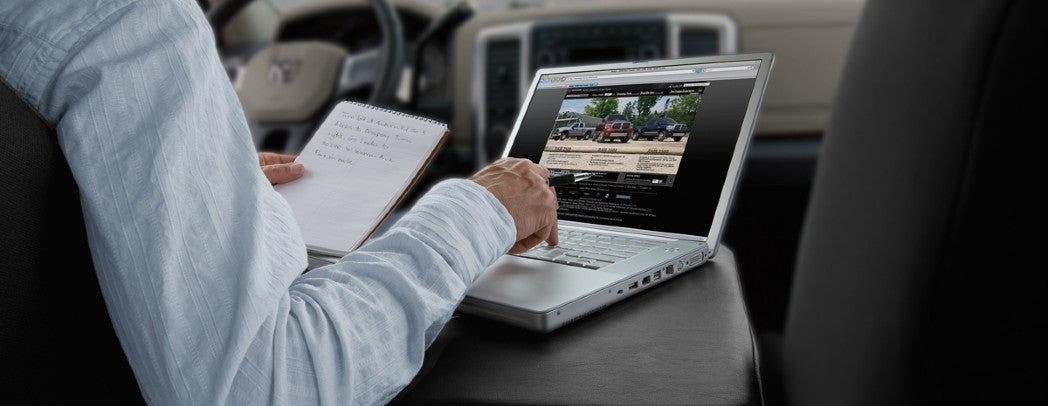
Stellantis Uconnect Web Wi-Fi Hotspot Example

If you’ve been paying attention to modern vehicles over the past few years, then you’ve surely noticed a whole slew of incredible new features and technologies that might not have even been dreamed of over a decade ago. This includes things like driver-assistive safety features, Alexa in-vehicle assistant, wireless phone charging and, of course, Wi-Fi Hotspots. That’s right, there are tons of cars on today’s market that offer Wi-Fi Hotspots built right into the vehicle. But, how exactly does that work? Since we’ve currently got over a hundred vehicles in stock with this feature, we thought we’d give you the rundown.

Paid Data Plan

First things first, to get it out of the way, no you don’t get free internet by purchasing a vehicle with a built-in Wi-Fi Hotspot. You still need to purchase a paid data plan, which can typically be done through the dealership you purchase the vehicle at, but you might also be able to go to any provider and find a plan that works for you. Once you purchase a paid data plan, your vehicle will work as a Wi-Fi Hotspot similarly to your wireless router at home.

How to Use

myChevrolet App

Once you have a vehicle with the built-in Wi-Fi Hotspot and have purchased a data plan for it, you and up to seven (typically) individuals can connect to the hotspot and stream content, download apps, play music, browse the internet or make video calls without using your phone’s data plan. Setting up the hotspot and maintaining it typically requires an app provided by the OEM, such as the myChevrolet app or MySubaru app. You’ll use the app to set up your network, choose a password and so on. Some vehicles may also let you do this through the infotainment system.

Once the network is set up, you’ll be able to connect to it on your devices just like any other network. If you have any questions, don’t hesitate to give us a call. We’d be happy to help!
Posted in:

Related Posts

Acura RDX with Apple Carplay and Android Auto

What is the difference between wired and wireless Apple CarPlay and Android Auto?

Two of the most popular features found in vehicles over the past several years would have to be Apple CarPlay and Android Auto. While they might not be as crucial or important as some of the advancements that have come in, say, advanced driver assistance, they’re every bit as popular amongst drivers and passengers. In more recent years, wireless versions of the two technologies have been released. So, what exactly is the difference between wired and wireless Apple CarPlay and Android Auto? Let’s dive into it! more What are Apple CarPlay and Android Auto? First of all, let’s give you a baseline understanding of the two technologies, regardless of their relation to wires, just in case you aren’t aware. Most folks of driving age these days have a smartphone in their pocket, and these two technologies enable you to connect that smartphone to your vehicle – Apple CarPlay for iPhones and Android Auto for phones powered by the Android system. They enable you to do things like play music, make phone calls, get navigation, and so on on your infotainment screen and through your speakers instead of needing to mount your phone on the dashboard and connect through aux cables. Benefits of Wireless Now that Wireless Apple CarPlay and Wireless Android Auto have been released, the technologies have taken a big step forward. This means you no longer even have to take your phone out of your pocket to connect it to your infotainment system, thus far less forgetting it in the car when you leave. This also enables you to pass your phone around the vehicle if necessary, you can connect as soon as you turn the vehicle on without worrying about plugging anything in, and you’ll be able to see your battery life right on the display. Benefits of Wired That isn’t to say the older wired versions of these technologies don’t have their advantages as well. Needing to plug the phone into your vehicle in order to connect it means you’re guaranteed to always be charging your phone while driving. It also means you won’t have to deal with any audio syncing issues as can sometimes be the case with Bluetooth. Let us know if you have any questions, and be sure to search our inventory by feature to find models with either one of these technologies available!